iJab with Elastix Roundcube
iJab Client can used to embed chat client within Round Cube mail.
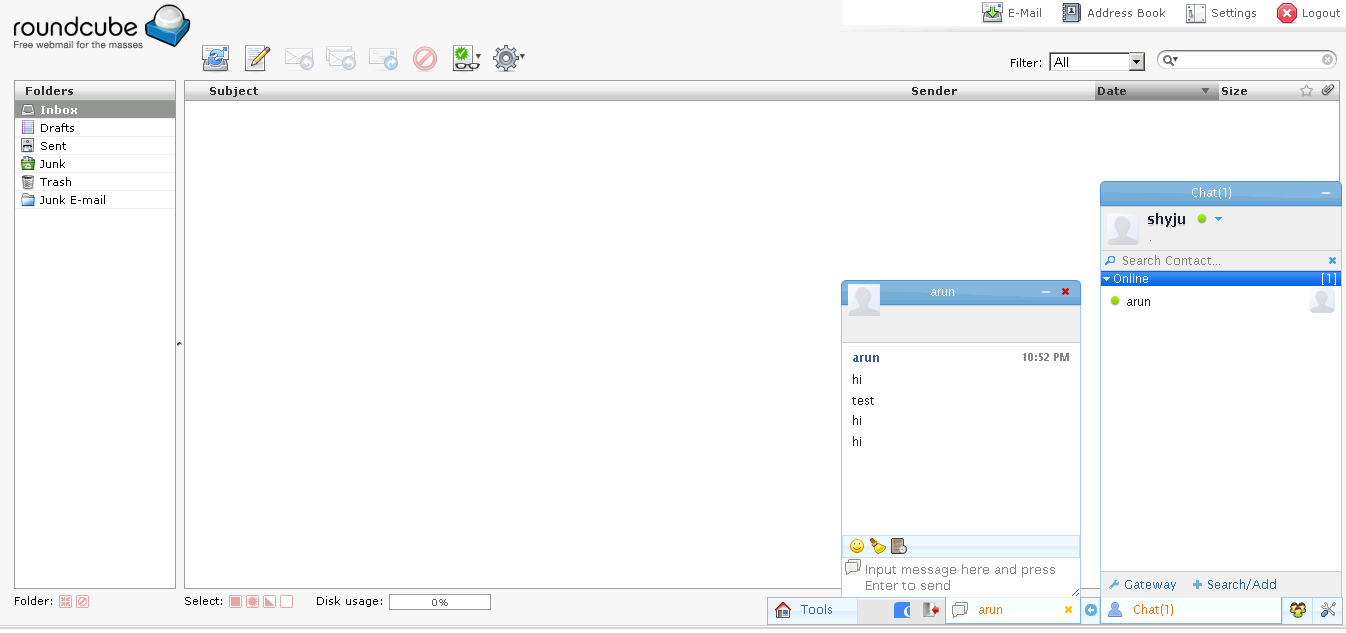
iJab Client require http-bind service. To enable http-bind create a new configuration file in /etc/httpd/conf.d/
(eg: ijab.conf) and add the redirect proxy settings.
1
2
3
4
5
6
7
8
9
10
11
12
13
14
15
16
  <IfModule mod_proxy.c>
   ProxyRequests Off
  <Proxy *>
    Order deny,allow
    Allow from all
  </Proxy>
  ProxyVia On

  # XMPP proxy rule
  ProxyPass /http-bind http://localhost:7070/http-bind/
  ProxyPassReverse /http-bind http://localhost:7070/http-bind/
  ProxyPass /https-bind http://localhost:7443/http-bind/
  ProxyPassReverse /https-bind http://localhost:7443/http-bind/

  AddDefaultCharset UTF-8
</IfModule>
Login to OpenFire and add the following settings under System Properties
xmpp.httpbind.client.requests.polling=0 xmpp.httpbind.client.requests.wait=10
Download and unzip the iJab Client in web root(eg: /var/www/html/ijab)
Edit the iJab configuration file (ijab_config.js) and add the configuration settings according Openfire.
See the sample config.
1
2
3
4
5
6
7
8
9
10
11
12
13
14
15
16
xmpp:{
domain:"mymailchat.com",
http_bind:"https://elx-dev/http-bind/",
host:"elx-dev",
port:5222,
server_type:"openfire",
auto_login:false,
none_roster:false,
get_roster_delay:true,
username_cookie_field:"username",
token_cookie_field:"SID",
anonymous_prefix:"",
max_reconnect:3,
enable_muc:true,
muc_servernode:"conference.mymailchat.com",
vcard_search_servernode:"vjud.mymailchat.com"
Download and install the round cube from https://rahul.amaram.name/blog/2010/09/05/integrating-ijab-roundcube to round cube plugins folder and add ijab to main.inc.php plugins list.
Find the downloads below if could not obtain them from other sites.
Create user in Openfire & Mail with same username & Password and create a html file with following content. Edit the ijab javascript path according to the location where it resides.
1
2
3
4
5
6
7
8
9
10
11
12
13
14
15
16
<!DOCTYPE HTML PUBLIC "-//W3C//DTD HTML 4.01 Transitional//EN">
<!-- The HTML 4.01 Transitional DOCTYPE declaration-->
<!-- above set at the top of the file will set     -->
<!-- the browser's rendering engine into           -->
<!-- "Quirks Mode". Replacing this declaration     -->
<!-- with a "Standards Mode" doctype is supported, -->
<!-- but may lead to some differences in layout.   -->

<html style="height: 100%; padding: 0; margin: 0; border: none;">
<body style="height: 100%; padding: 0; margin: 0; border: none;">

  <script type="text/javascript" language="javascript" src="/ijab-v1.0-beat3-2/ijab_config.js"></script>
  <script type="text/javascript" language="javascript" src="/ijab-v1.0-beat3-2/ijab_i18n_en.js"></script>
  <script type="text/javascript" language="javascript" src="/ijab-v1.0-beat3-2/ijab/ijab.nocache.js"></script>
</body>
</html>